Where it lives
On the Scheduler page, at the top.
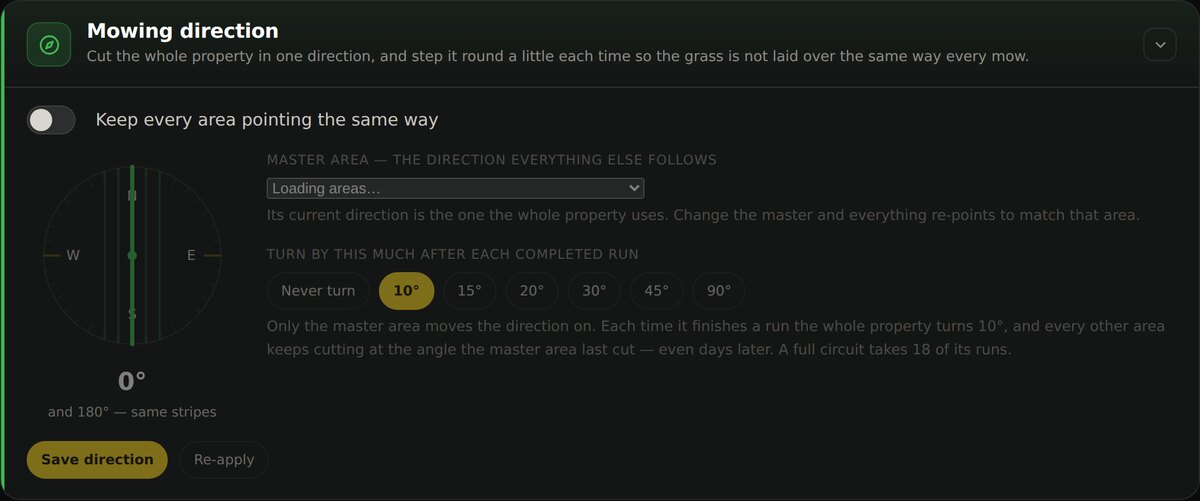
Setting it up
Turn on “Keep every area pointing the same way”
Until this is on, nothing is written to any area.
Choose the master area
One area is the reference. Its current direction becomes the direction the whole property uses, and changing it re-points everything else to match.
Choose how far to turn after each run
Never turn leaves the angle fixed. 10° through 90° steps it round after each completed run of the master area.
Save direction
Nothing is written until you press it. Re-apply pushes the current heading out again if an area has drifted.
Why step the angle at all
Cutting the same line every week presses the grass down the same way and leaves visible wear. Stepping the angle a little each time spreads that out. At 10° a full circuit takes 18 runs, so no two consecutive mows look the same and the pattern never repeats quickly.
Things worth knowing
It is an angle, not a compass bearing
Yarbo measures the angle from each area’s own reference, so the same number can look different between two areas. The dial shows the direction the property is set to, and 0° and 180° produce the same stripes.
A Yarbo setting can disable it
If route angle is switched off on the robot itself, Yardstick cannot set a direction. Check the Yarbo app if the angle never seems to take.
It writes to every area
This is a whole-property setting. If you want one area cut differently, this is not the feature for it.
Changing the step does not move the run already queued
The next turn is worked out and stored the moment the master area finishes its current run, using whatever step was set at that time. Changing the step afterward only changes the turn after that one — the run already queued still lands where it was going. Turn the step up from 10° to 90° partway through, and the master's next completion still only turns 10°; the 90° turn does not show up until the completion after that.