Introducing the Yardstick Anywhere app
Yardstick Anywhere / A day with your yard
Everything the installed Yardstick does, plus more you only get in the cloud. Set your schedule. We handle the servers, updates, and backups. Yardstick keeps working and recording in our cloud, every minute of your day. No computer to keep on. No software to babysit.
Up and running in under 30 seconds · No credit card required · From $9.95/month · Compare plans
The work is on us
Set your schedule and get on with your day. We take care of the work, the upkeep, and the stress of keeping it all running.
It's always working. It's always recording.
That part is on us.
See it in action
Meet Yardstick Anywhere
Yardstick Anywhere is the online version of Yardstick, running in our cloud. Recording, alerts, schedules, and weather keep working while your computer is off.
Nothing to install, and you are up and running in under 30 seconds. Open Yardstick Anywhere from any browser and stay connected from your phone or tablet, with status on your watch.
Bring your map, plans, and routines together in one place. Your robot works at home. You can check in from anywhere.
We update it for you, with nothing to download or install. Anywhere gets brand-new features before anything else.
The day starts without opening your laptop.
03 / Make a routine
Set up the work once, then change it whenever life changes.
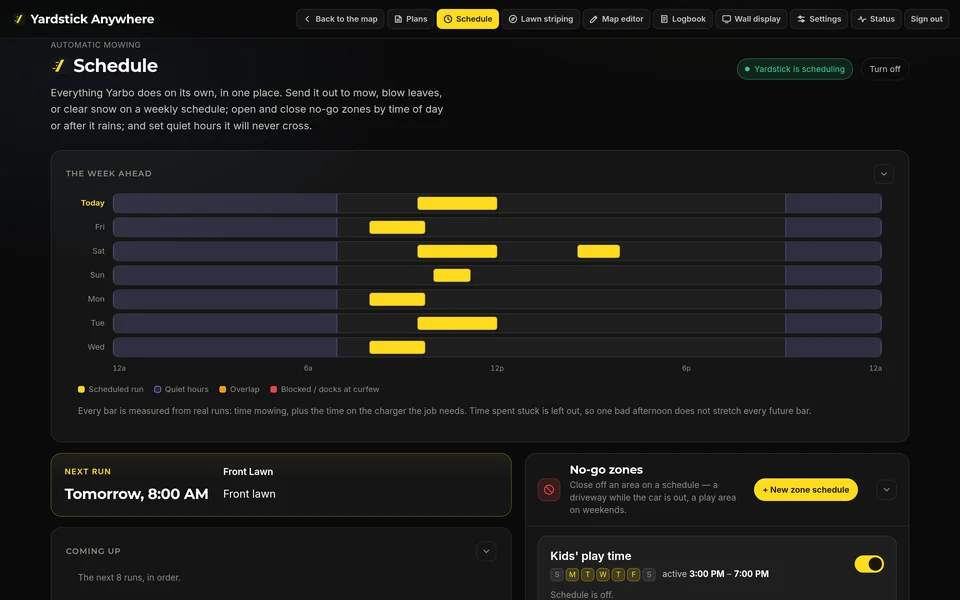
Create plans for mowing and other attachments, including snow blower sidewalks. Use Quick run for a job on demand, or run a plan up to 5 times back to back.
Weekly programs keep regular jobs on track. Curfew and quiet hours keep the yard peaceful when you need it.
Skip today when the yard is busy, or pause scheduling until a date. Change the routine without rebuilding it.
06 / Go where your day goes
Use any browser with nothing to install, or choose the mobile phone app for iPhone and Android, the tablet version for iPad and Android tablets, and the Apple Watch app for status at a glance.


App Store listing link coming soon.
Google Play listing link coming soon.
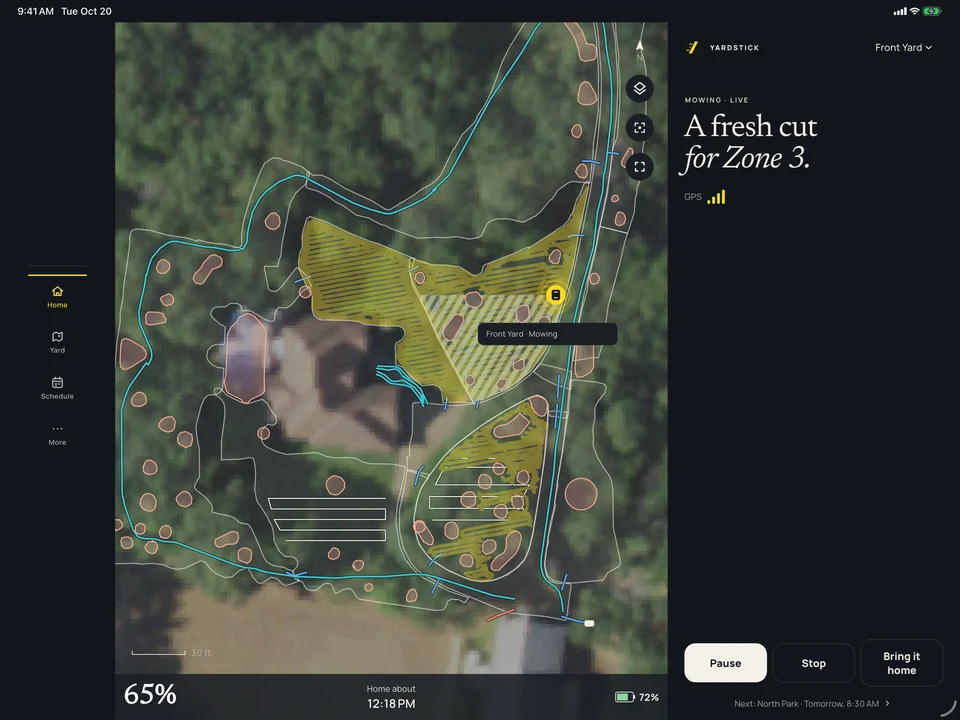
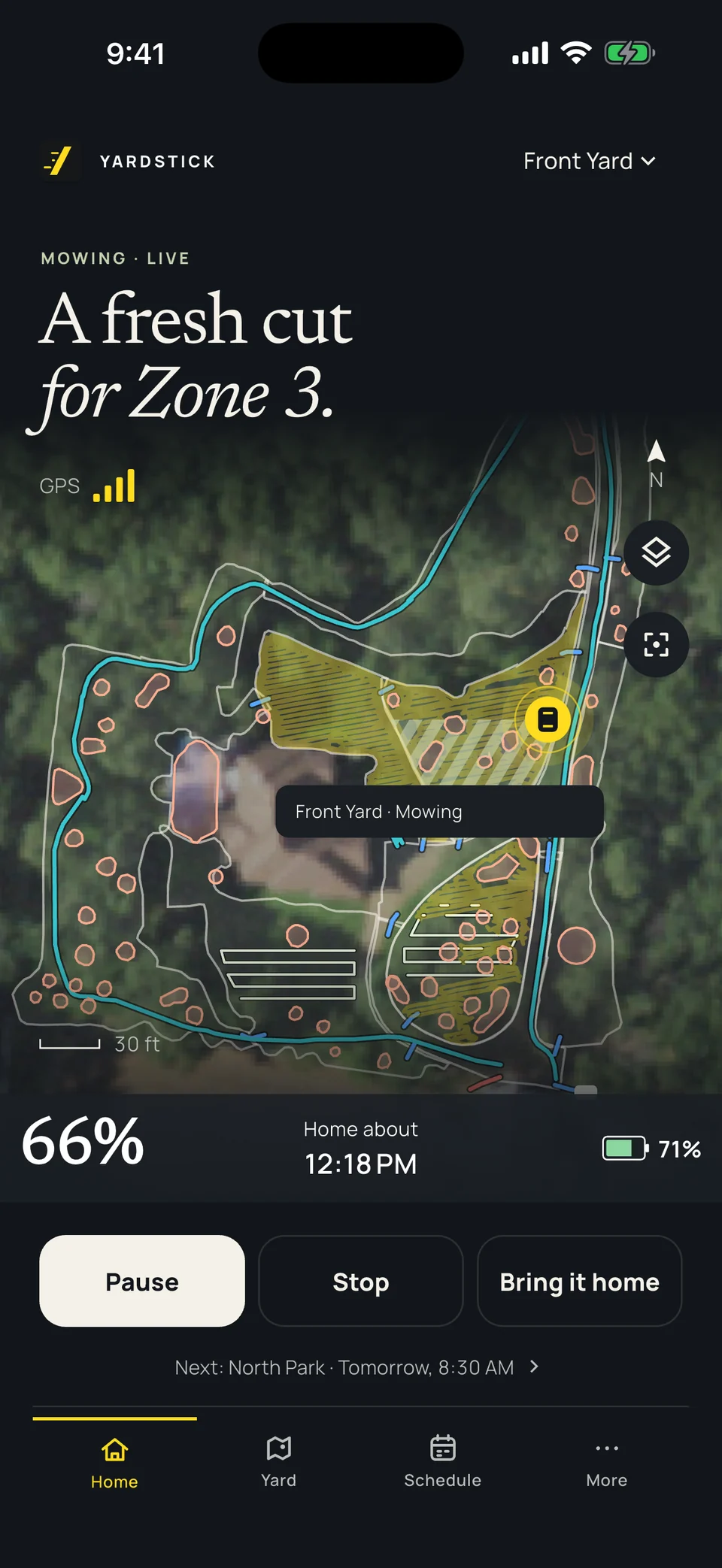
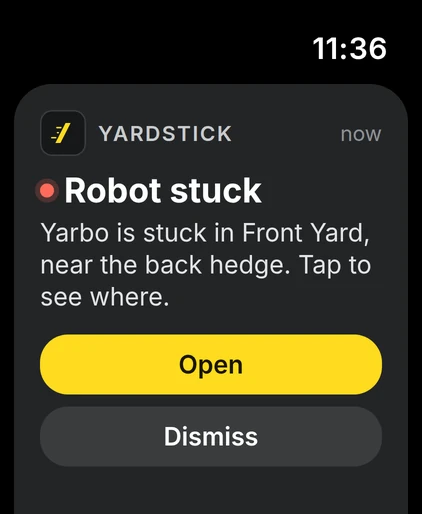
Take the controls
Drive it yourself with a joystick controller on phone and tablet. A live map, attachment controls, and GPS signal strength put the useful details beside your controls.
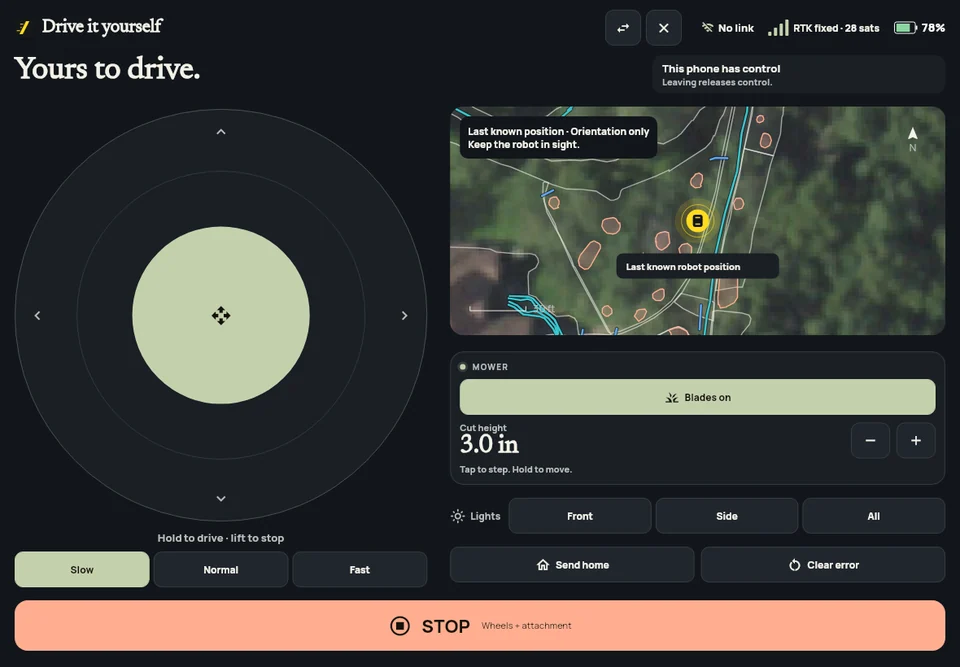
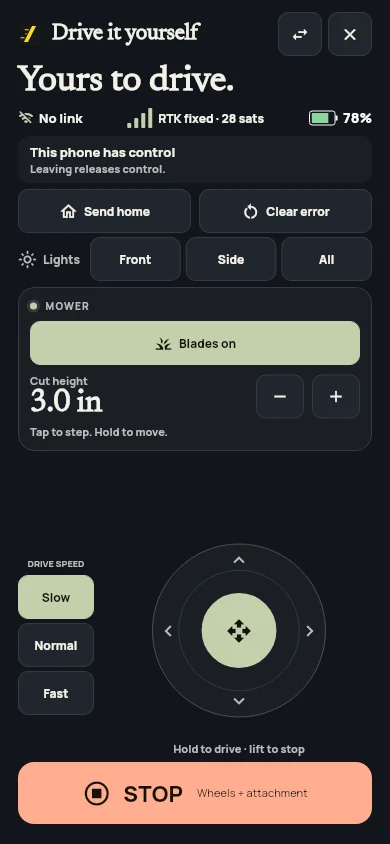
Take your yard with you
No credit card required · From $9.95/month · Compare plans
A quick look, a voice command, and back to your day.
01 / See your yard
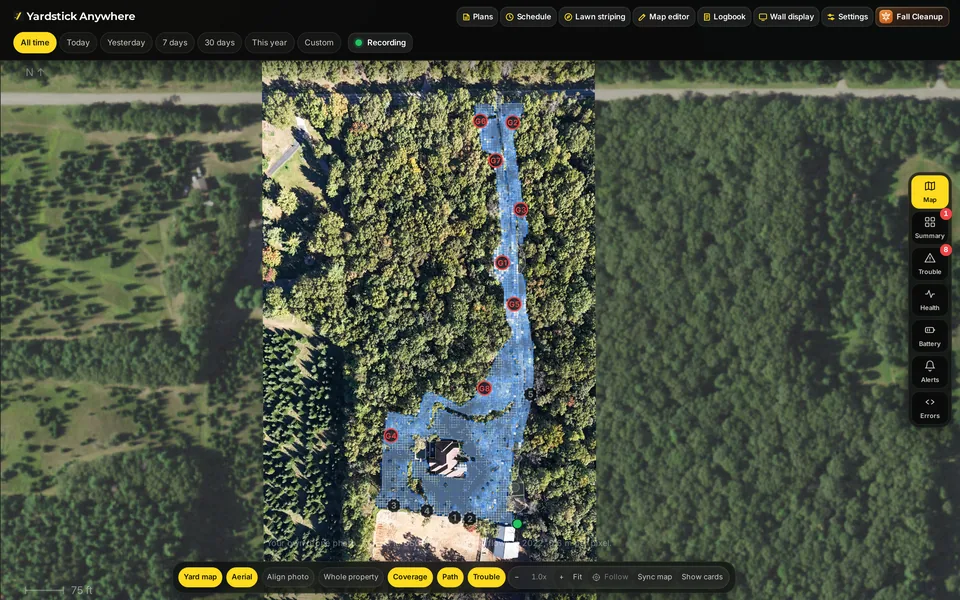
A live map turns a quick check-in into a clear understanding of what your robot is doing.
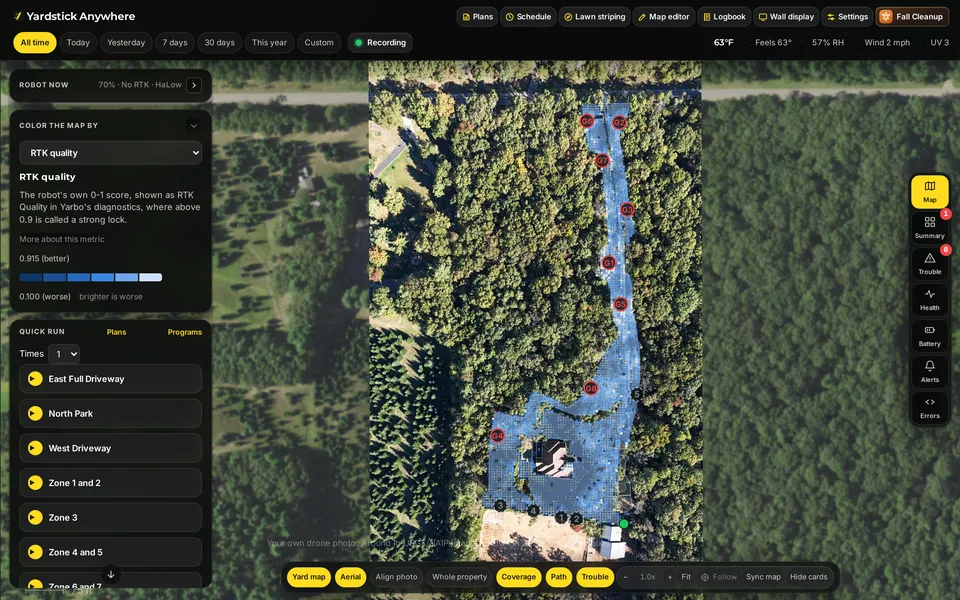
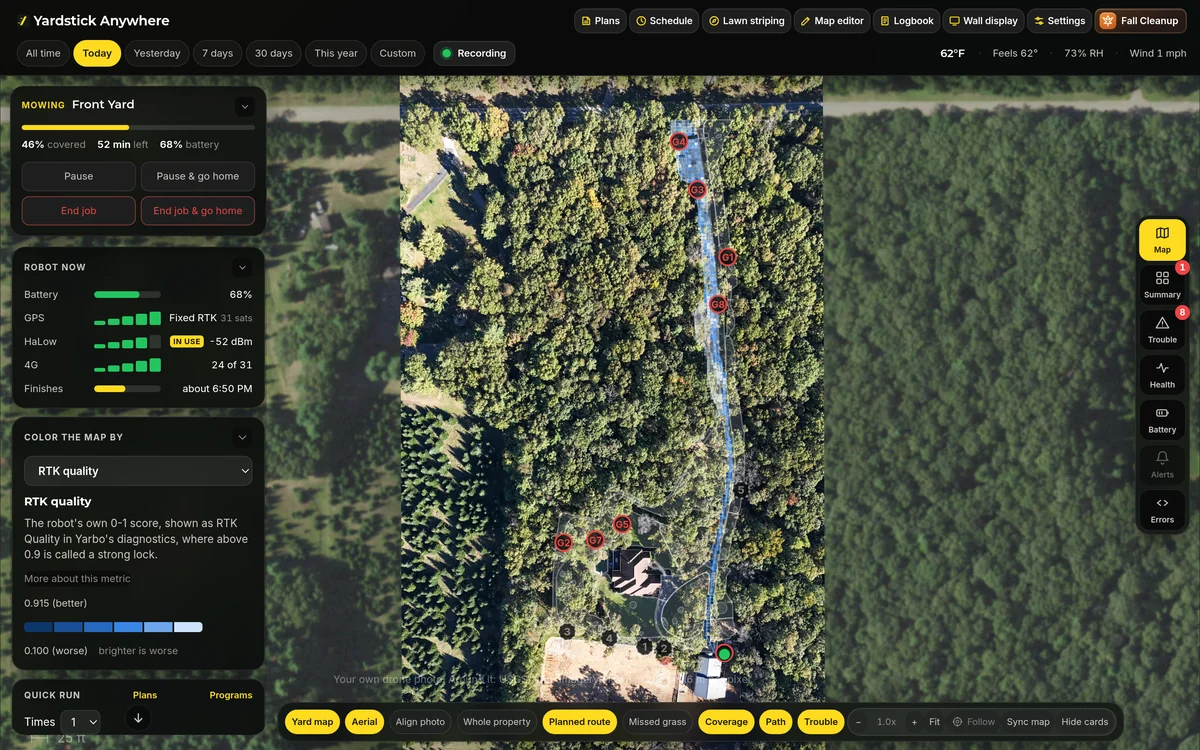
Watch your robot move across a live map of your yard. Zoom out for the whole-property view, then get closer to the area that needs attention.
Put your own drone photo behind the map, or choose Google Maps or USGS aerial imagery. Recognize every bed, border, and driveway.
Switch between coverage, path, and RTK/GPS quality layers. Open trouble spots for the full history of when something went wrong and what happened.
Robot health, battery, and error panels help you spot a problem. The Robot now card brings together battery, GPS fix and satellites, HaLow, Wi-Fi, and 4G.
04 / Work with the weather
Weather awareness keeps working in the cloud, even after you close your laptop.
Connect Tempest, Weather Underground, NOAA, or MET Norway to put local conditions to work.
Rain holds and weather rules help decide when work should wait. Your computer can stay off while Anywhere keeps checking.
Smart no-go zones turn on and off by rules. Keep the robot away from an area when conditions call for it.
07 / Just ask
Ask Alexa or Google Home to check in or take care of the next step. Your hands can stay right where they are.


Alexa skill and Google Home action certification in progress.
“Alexa, ask Yardstick what's going on”
“Alexa, tell Yardstick to start Front Lawn”
“Alexa, ask Yardstick to pause the robot”
“Alexa, tell Yardstick to stop”
“Alexa, ask Yardstick to send the robot home”
“Alexa, ask Yardstick what's the battery level”
“Alexa, ask Yardstick to skip today's run”
“Alexa, ask Yardstick to pause the schedule until Friday”
See all voice commandsA little less screen time
“Hey Google, start the mower”
“Hey Google, start the mower in Front Lawn”
“Hey Google, pause the mower”
“Hey Google, resume the mower”
“Hey Google, stop the mower”
“Hey Google, dock the mower”
“Hey Google, is the mower running?”
“Hey Google, what's the mower's battery level?”
See all voice commandsMake the yard work the way you want it to.
02 / Shape your yard
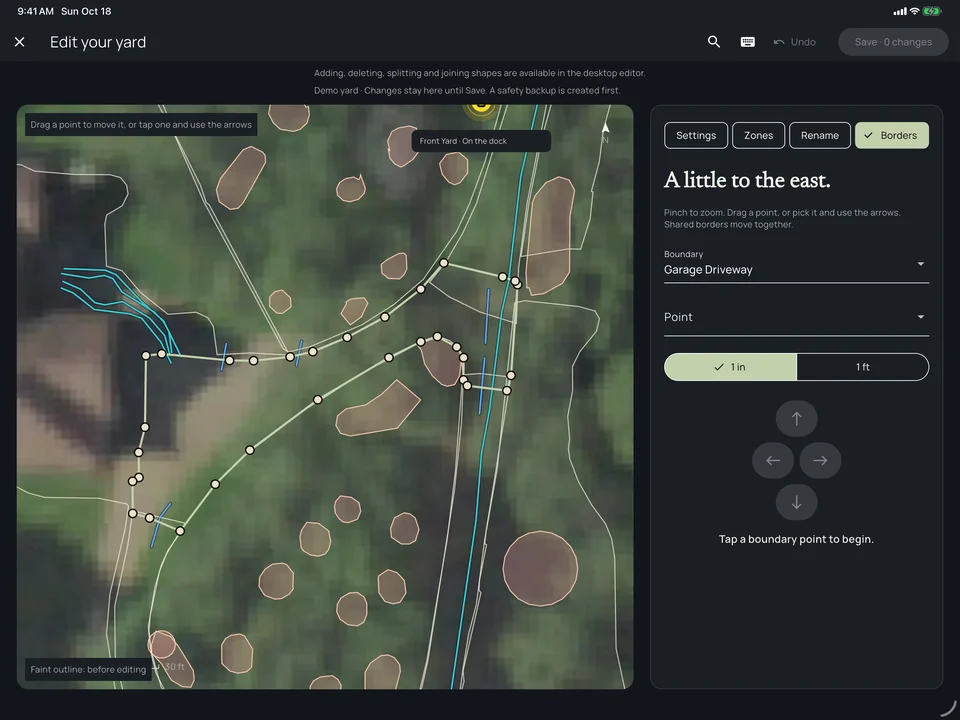
Edit your map in the browser, with room to see what you are changing.
Move borders in your browser. Draw a cut to split a zone, join zones, and rename areas so your map matches the way you use your yard.
Turn no-go zones on or off, edit sidewalks, and set attachment options for each area. Keep delicate beds and working paths in the right places.
An automatic backup is made before every change. Your map history keeps earlier versions ready to restore, so you can adjust with confidence.
A better view is one browser away
No credit card required · From $9.95/month · Compare plans
05 / The finishing touches
Bring the whole property into step, from the direction of the cut to the height of the grass.
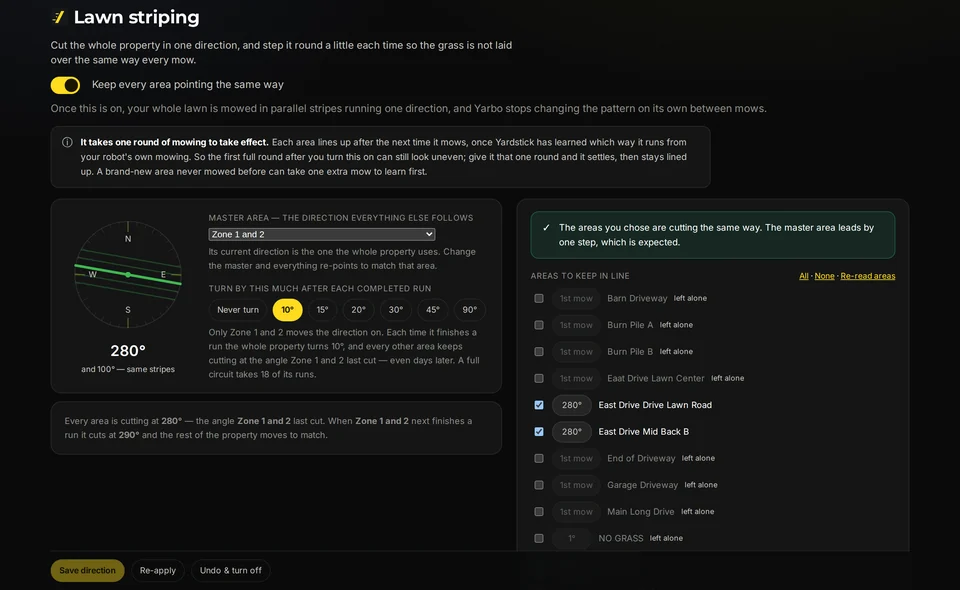
Set one mowing direction for every area. Yardstick steps that direction each run, keeping the whole lawn aligned for clean stripes.
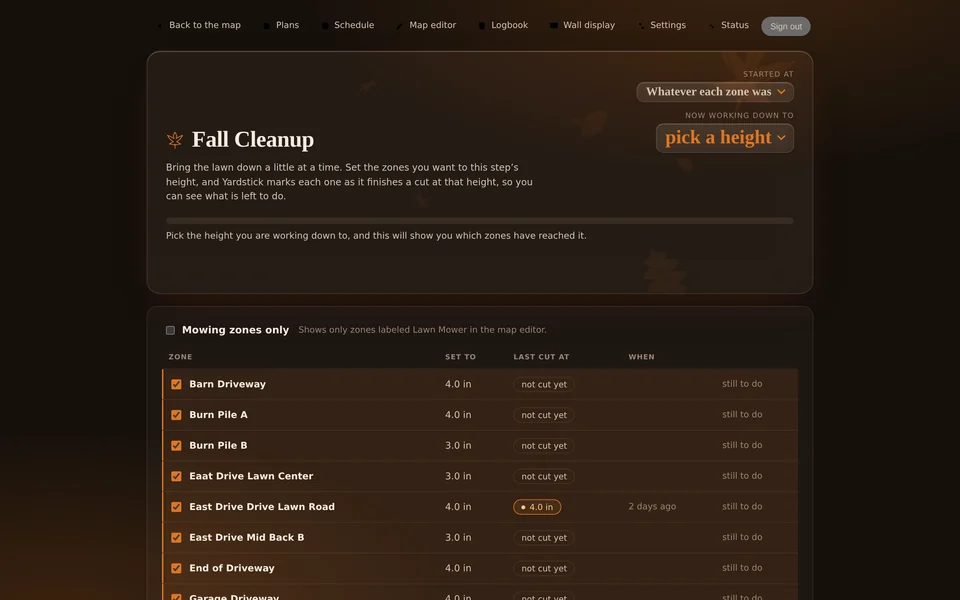
Use Fall Cleanup or Spring Up to change seasonal heights in one click. Bring the yard into its next routine without adjusting every area by hand.
See what happened today. Let tomorrow take care of itself.
08 / Keep everyone in the picture
One account brings your robots, records, and the updates you care about together.
Look back through a logbook of every job. See what ran and keep a useful record of the work across your property.
Choose which events reach you by email, phone push, or text messages (SMS). Stay informed without watching the screen.
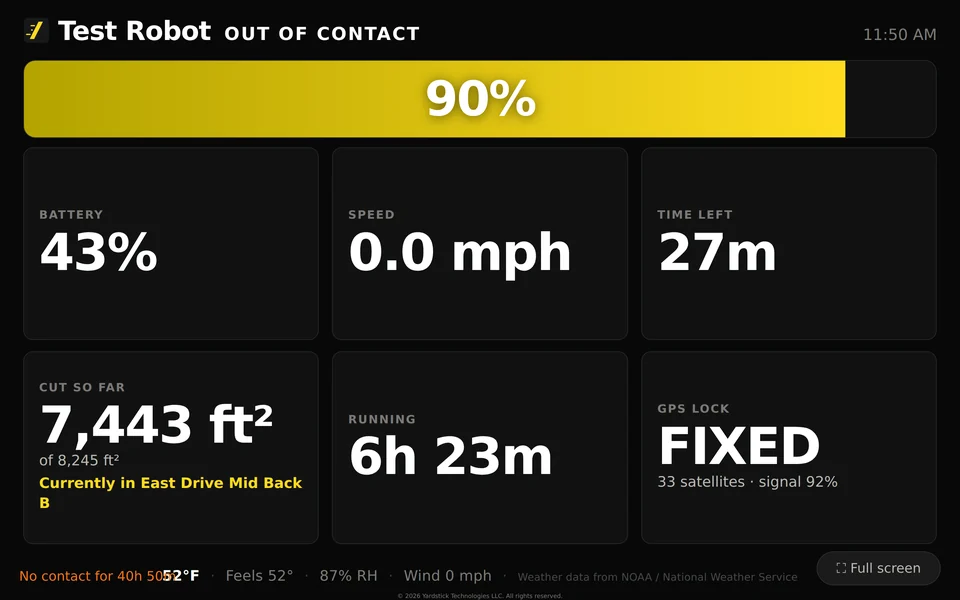
Turn a TV or wall-mounted tablet into a fleet map. Keep the property in view from a place everyone can see.
Manage more than one robot on one account. Extra robots are supported, so your view can grow with your yard.
Choose English, German, Spanish, French, Italian, or Finnish. Use Yardstick in the language that feels natural to you.
Help that comes to you
Anywhere comes with hands-on support. Share your screen with us and we see exactly what you see, point you to the right spot, and fix the problem with you while you watch.
Turn on Coverage here, and you will see where it has not been.Your code482 917Good for 10 minutes, one viewerStart a support session from Yardstick Anywhere and share your screen. We look at the same page you are looking at, so nothing gets lost trying to describe it.
Our pointer appears on your own screen. We walk you straight to the right button, layer, or setting, one step at a time.
If you allow it, we can click through Yardstick for you while you watch, and explain each step as we go. Problems get solved in minutes, not over a long email thread.
We explain what your map, layers, and alerts are telling you, so next time you know exactly what to look for.
Only you can start a session, with a six-digit code that expires in ten minutes. Clicking is off until you allow it. Stop sharing at any moment. Nothing is recorded, and the video goes straight from your browser to ours.
An always-on computer adds up
A computer left on 24/7 uses electricity even when you are not looking at it. Anywhere needs no computer at home, no extra hardware, and no upkeep.
Typical computer · 50 W
In electricity alone
50 W × 24 h × 365 ÷ 1,000 = 438 kWhHigher-end desktop or gaming laptop · 150 W
In electricity alone
150 W × 24 h × 365 ÷ 1,000 = 1,314 kWhYardstick Anywhere
No hardware. No upkeep.
Runs in our cloud. No computer at homeIllustrative comparison at the US average of about $0.17/kWh. Actual computer draw and electricity rates vary. $0 refers to running Yardstick in our cloud; robot and viewing-device electricity are separate. Anywhere subscription from $9.95/month.
Two plans
Both plans run in our cloud, with no computer at home. Premium adds the phone and watch app, voice control, text alerts, weather rules and more. Start with 14 days of Premium free, no credit card required.
Basic
or $99.50 a year, two months free
Everything you use Yardstick for today, from any browser.
Premium Recommended
or $149.50 a year, two months free
Everything in Basic, plus your yard in your pocket, your voice and the weather.
| Feature | Basic | Premium |
|---|---|---|
| Included in both | ||
| Access from anywhere, on unlimited computers | ✓ | ✓ |
| Live map and status | ✓ | ✓ |
| Start, stop and dock | ✓ | ✓ |
| Safety alerts by email | ✓ | ✓ |
| Map editor and plans | ✓ | ✓ |
| Scheduling | ✓ | ✓ |
| Lawn striping (mowing direction) | ✓ | ✓ |
| Map history | ✓ | ✓ |
| Premium adds | ||
| Mobile phone app (iPhone, iPad, Apple Watch and Android) | – | ✓ |
| Voice control with Amazon Alexa and Google Home | – | ✓ |
| Text message alerts | – | ✓ |
| Weather and rain holds | – | ✓ |
| Weather rules | – | ✓ |
| Smart no-go zones | – | ✓ |
| Wall display | – | ✓ |
| Google Maps imagery | – | ✓ |
| Logbook | – | ✓ |
| Your own drone photo | – | ✓ |
| Fall Cleanup | – | ✓ |
| Spring Up | – | ✓ |
| Early access to new features | – | ✓ |
One robot is included. Each additional robot is $4.95 a month or $49.95 a year, on either plan. Prices are in US dollars, plus tax.
Moving from Yardstick on your computer? The unused part of a paid license becomes credit on Anywhere, and your history comes with you. How moving works
A few good questions
No. Yardstick Anywhere runs in our cloud. Recording, alerts, schedules, and weather keep working when your computer is off.
No. Start in any browser and be up and running in under 30 seconds. Apps are also available for iPhone, Android, iPad, Android tablets, and Apple Watch.
Basic is $9.95 a month or $99.50 a year, and Premium is $14.95 a month or $149.50 a year. Start with a 14-day free trial of Premium, with no credit card required. Each extra robot is $4.95 a month or $49.95 a year. Compare the plans.
Start a support session and share your screen. We can see what you see, point you to the right place on your own screen, and, if you allow it, fix the problem with you while you watch. You start every session, you can stop it at any moment, and nothing is recorded.
We do. There is nothing to download or install, and Anywhere gets brand-new features before anything else.
Your yard, from anywhere
Set your schedule. We handle the rest. Always working. Always recording. Try 14 days on us.
No credit card required · From $9.95/month · Compare plans
Extra robots from $4.95/month · Compare Basic and Premium
Already using Yardstick?
Moving from Yardstick on your computer takes one button. Your history, maps, programs and settings come with you, and the unused part of a paid license becomes credit on Anywhere.
In Yardstick on your computer, open Move to Yardstick Anywhere and press the button. Anywhere opens in your browser. If you do not see the button yet, update Yardstick first.
Create your account or sign in, link your Yarbo account, see your credit and choose a plan. Your history moves while you do: readings, map snapshots, alerts, programs, curfew, no-go zone rules, mowing direction, logbook and drone photo.
The unused part of your license is worked out to the day and rounded to the dollar. A $34.95 license with 11 months left is about $32 of credit. Yardstick on your computer keeps working for 14 days, then its license ends and is not charged again.
The credit is account credit on Yardstick Anywhere, not a refund, and each license can be credited once. Trial and never-expiring licenses have nothing to credit. Happy where you are? Yardstick on your computer keeps getting updates, and you do not need to do a thing.