Where it lives
On the home page, below the map.
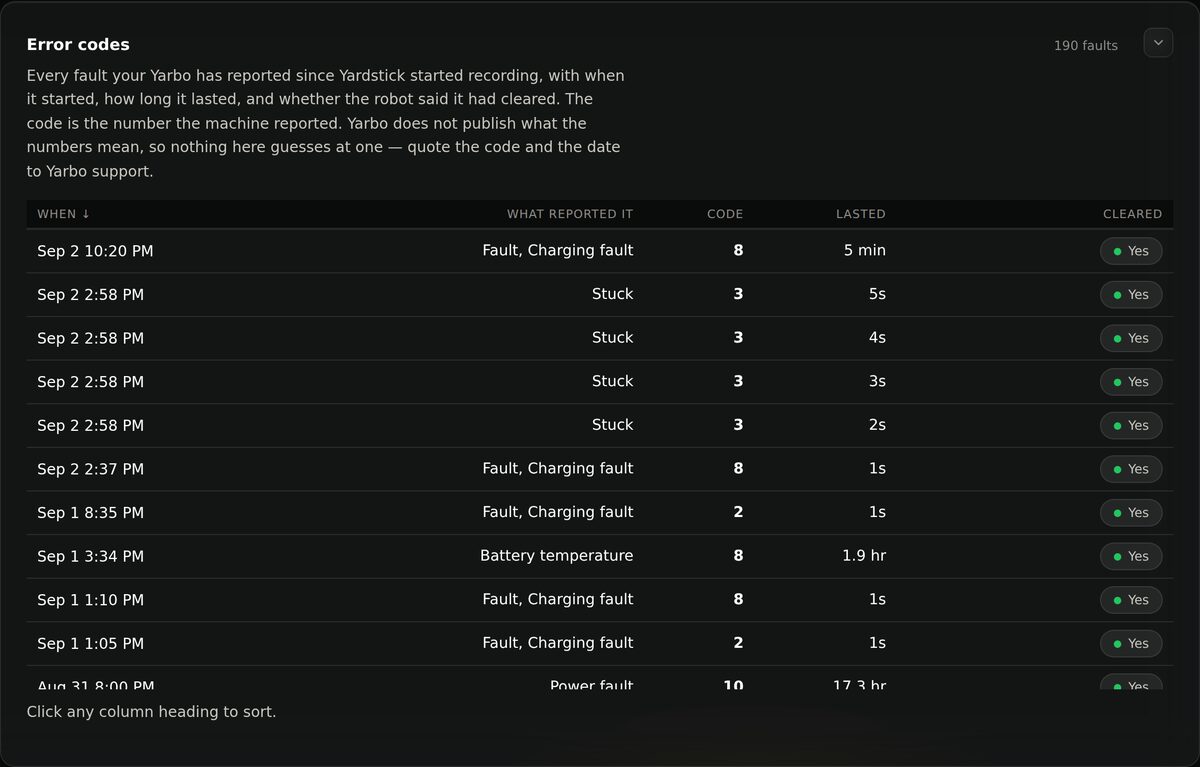
Reading it
When
The moment the fault appeared, not the moment you noticed it.
What reported it
Which part of the machine raised it: charging, battery temperature, stuck, power.
Code
The number the machine reported.
Lasted
How long it was present. A one-second charging fault is noise; a 17-hour power fault is not.
Cleared
Whether the robot said it recovered on its own.
Why some faults never show up here
Some fault codes clear themselves in a second or two, dozens of times a month, on a property where it never amounts to anything. By default, anything that cleared on its own inside 30 seconds is left off this list entirely — not dimmed, not collapsed, simply not worth a row in a list meant to answer "what went wrong".
Want to see everything, including the shortest blips, or set your own cutoff? Settings → Advanced → Shortest fault worth reporting. Set it to 0 to see every fault ever recorded, however short.
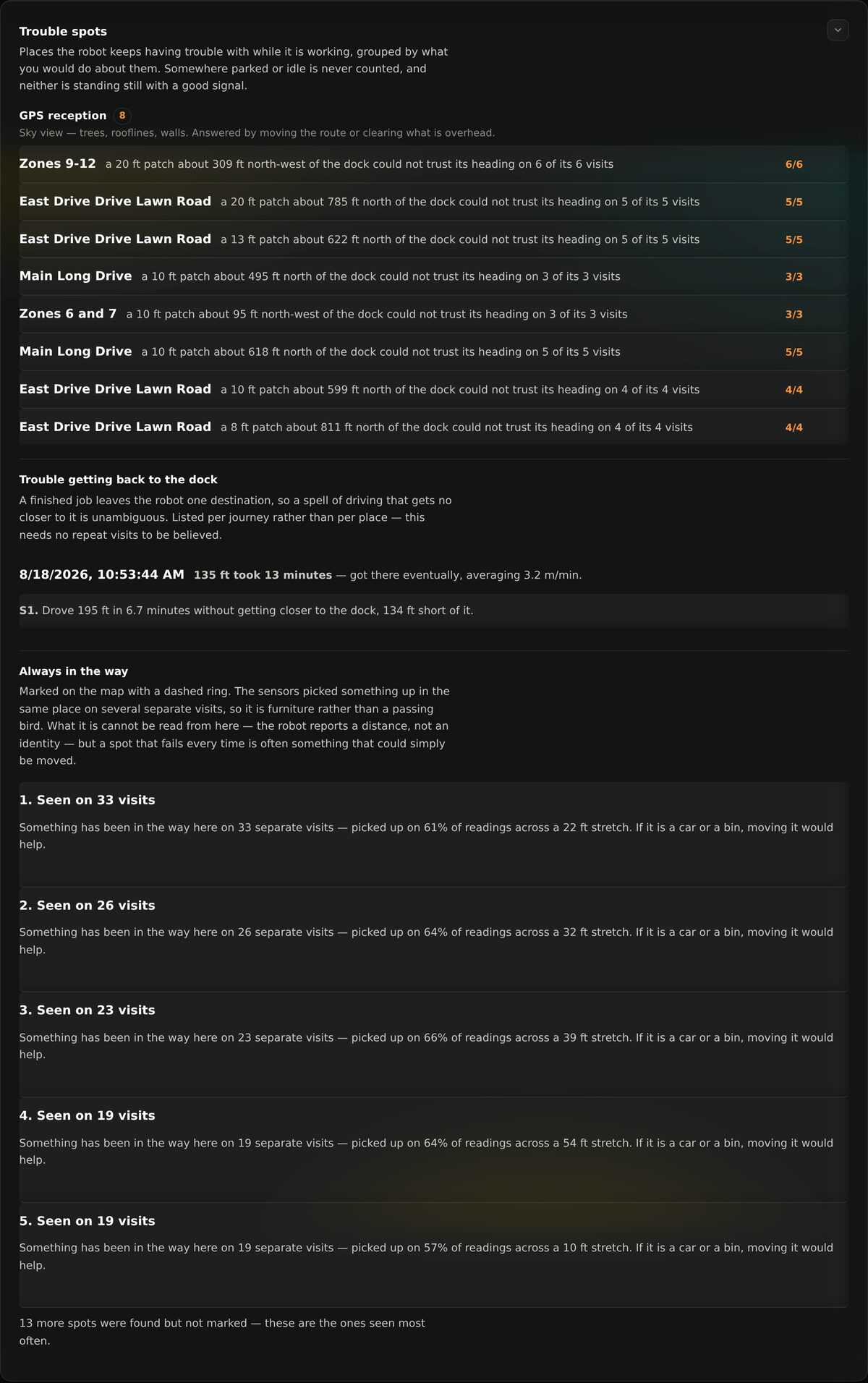
Trouble spots
Faults tell you what went wrong. Trouble spots tell you where. Yardstick marks the places your robot repeatedly gets stuck or struggles, so you can go and look at the actual patch of grass.
When you write to Yarbo
Give them the code, the date and time, how long it lasted, and your firmware versions. All of that is on this page or in your diagnostics report, and it turns “it keeps stopping” into something they can act on.