Two things live on one page: keeping Yardstick current, and getting us the log when something looks off. Both are a couple of clicks. Staying current matters here, so this is worth a read.
Where it lives:Settings → Software and helpfor updates, andSettings → Supportto send us a report. Your version is shown in both, and again at the bottom of the page.
The short version
Click Check for updates under Software and help, and install when one is offered. Or switch on Install updates automatically and stop thinking about it. If something breaks, the Something wrong? card under Support sends us the log with one click. That is the whole page.
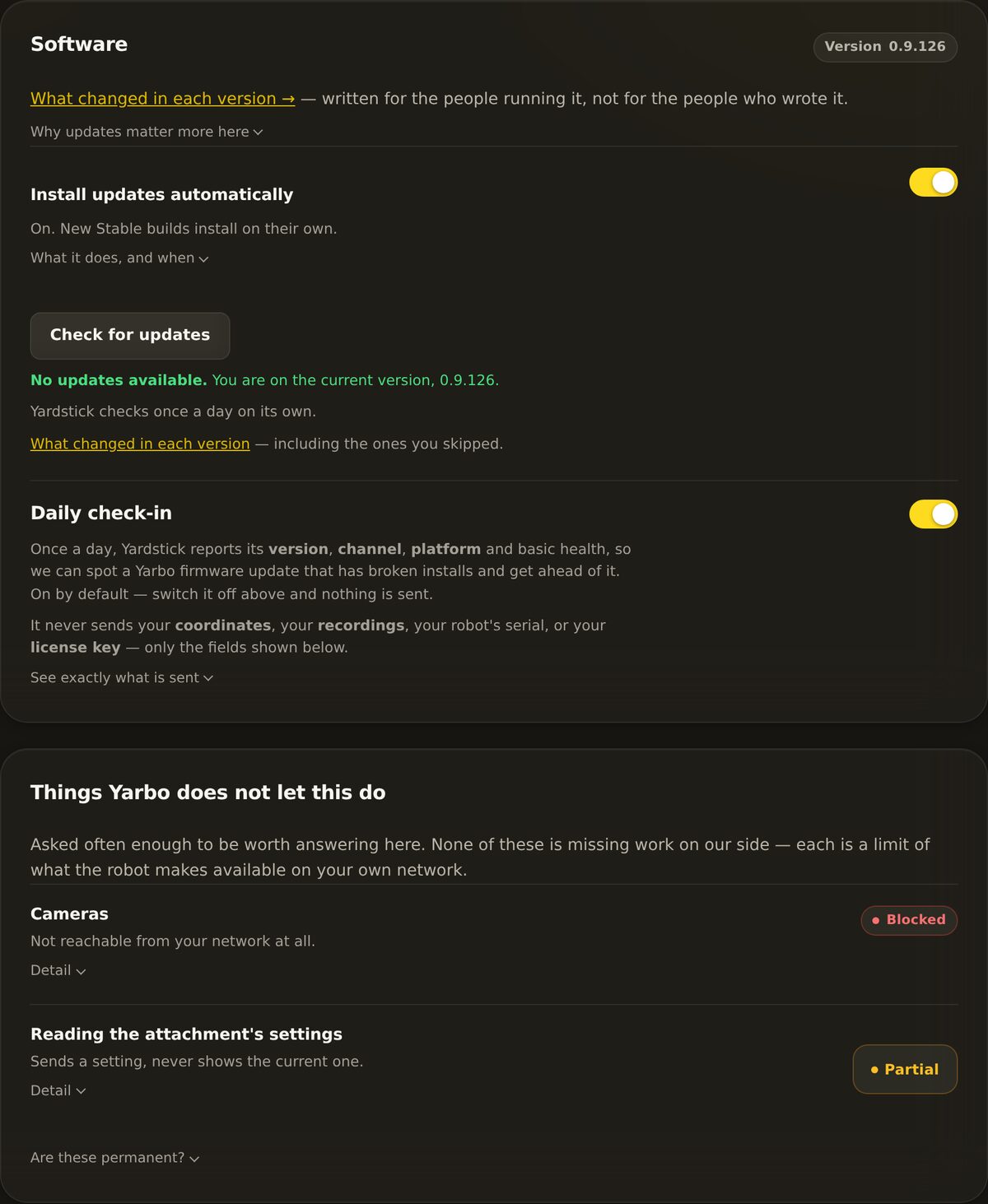
Settings → Software and help. Your version sits in the card header. Automatic installs, the update check and the daily check-in follow. Shown here with automatic installs switched on; it is off until you turn it on.
Keeping Yardstick up to date
Yardstick checks once a day on its own, either way. What you decide is whether it installs what it finds.
Install updates automaticallyEASIEST
Switch it on and new versions install themselves. Yardstick restarts, then tells you on the main page with a link to what changed. It never interrupts a job: installing restarts the recorder, so an update waits until your robot is not out working.
Leave it offTHE DEFAULT
Yardstick tells you a new version exists and waits. Nothing installs until you press the button. This is how it arrives.
Checking and installing yourself
Check for updates only fetches a few hundred bytes to see whether a newer build exists. With automatic installs off, nothing downloads until you act. If there is one, the button changes to match how you installed Yardstick:
Download and install on a normal Windows install. It pulls the new installer and runs it.
Pull and install if you run Yardstick from source.
Go back to the channel version to roll back if a build ever gives you trouble.
Want to know exactly what changed before you install? Every build is written up in the changelog at yardstickhome.com/changelog.
Why updates matter more here
Yardstick reads robot messages that Yarbo never published or documented. When Yarbo ships a firmware change, it can quietly break an old copy of Yardstick. Staying current is how your copy keeps working. This is not busywork.
The daily check-in
Below the update controls is a daily check-in toggle. It is on by default. Once a day it reports its version, which build you are running, your platform, a random install identifier and a basic health signal: uptime, whether recording is running, and rounded counts. The panel has a See exactly what is sent link that lists every field. That is how we spot a new Yarbo firmware breaking copies out in the field, often before you would notice yourself.
What it never sends
Not your coordinates. Not your recordings. Not your robot serial. Not your license key. The exact contents are shown right there in the settings, so you can read them yourself. Turn the toggle off and it stops immediately. More detail is on our privacy page.
When something goes wrong: send diagnostics
If a job looks wrong or Yardstick is misbehaving, the fastest way to get help is to send us the log. The Something wrong? card, at the bottom of Settings → Support, does it in three steps.
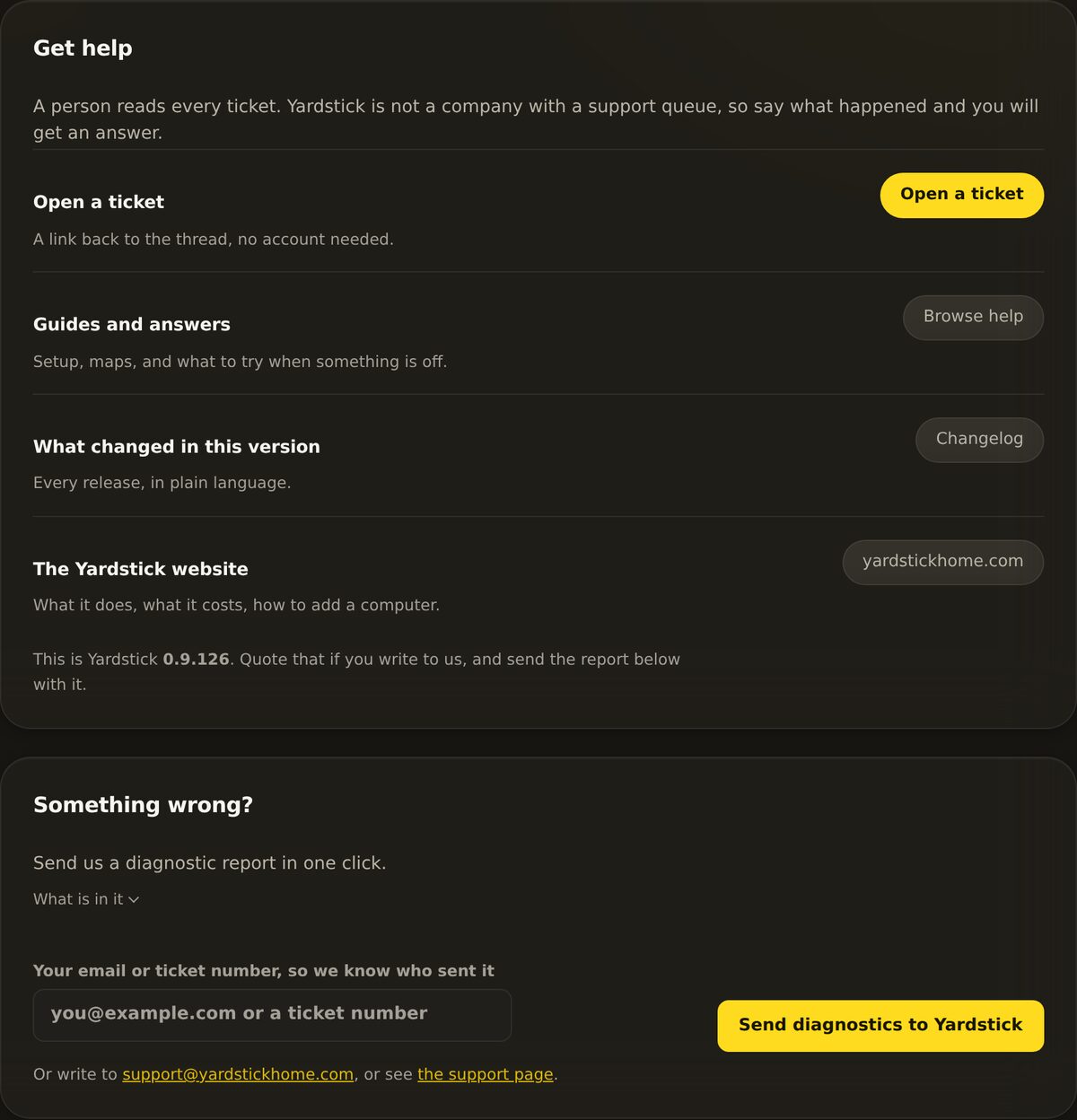
Settings → Support. Everything for getting hold of us in one place. The report card is at the bottom.
Enter your email or ticket number
Open Settings → Support and scroll to the Something wrong? card. Type the email you contacted us from, or a ticket number if you already have one. This lets us match the log to you.
Click Send diagnostics to Yardstick
It uploads the full log along with a scrubbed report. This lands on our support desk within seconds.
Quote the reference code back to us
You get a short reference code in return. Include it when you reach out and we can pull up your exact submission.
What we see, and what we never see
A submission carries two things: a scrubbed report and your log in full, including its older copies. The report withholds your coordinates entirely and cuts your robot serial to the last four characters. The log is not scrubbed, because it comes privately to us and completeness is what makes it useful, so your robot serial does appear in it. What is in neither: your GPS coordinates, your passwords, your license key, and your phone alert topics. It goes only to us and is not published anywhere.
Sending is the only way to get a report to us, and it is one button. The copy, save, email and preview buttons that used to sit beside it were removed: each was a longer road to the same place, and the raw preview invited pasting a log into a public forum. If you would rather write in, the support address and the ticket system are both still there.
Not sure whether to update, or what a diagnostic will show? Open a support ticket and tell us your version and channel, both shown at the bottom of the page. We will point you to the exact step.