What "no login" really means
By default there is no password, on purpose, so opening your map from a phone is instant. The tradeoff: anything that can reach the Yardstick address on your network can read your coordinates, change settings, delete recordings, and drive the robot. On a trusted home network that most people are fine with. If your network is shared, or you would rather be sure, add a login below.
Add a username and password
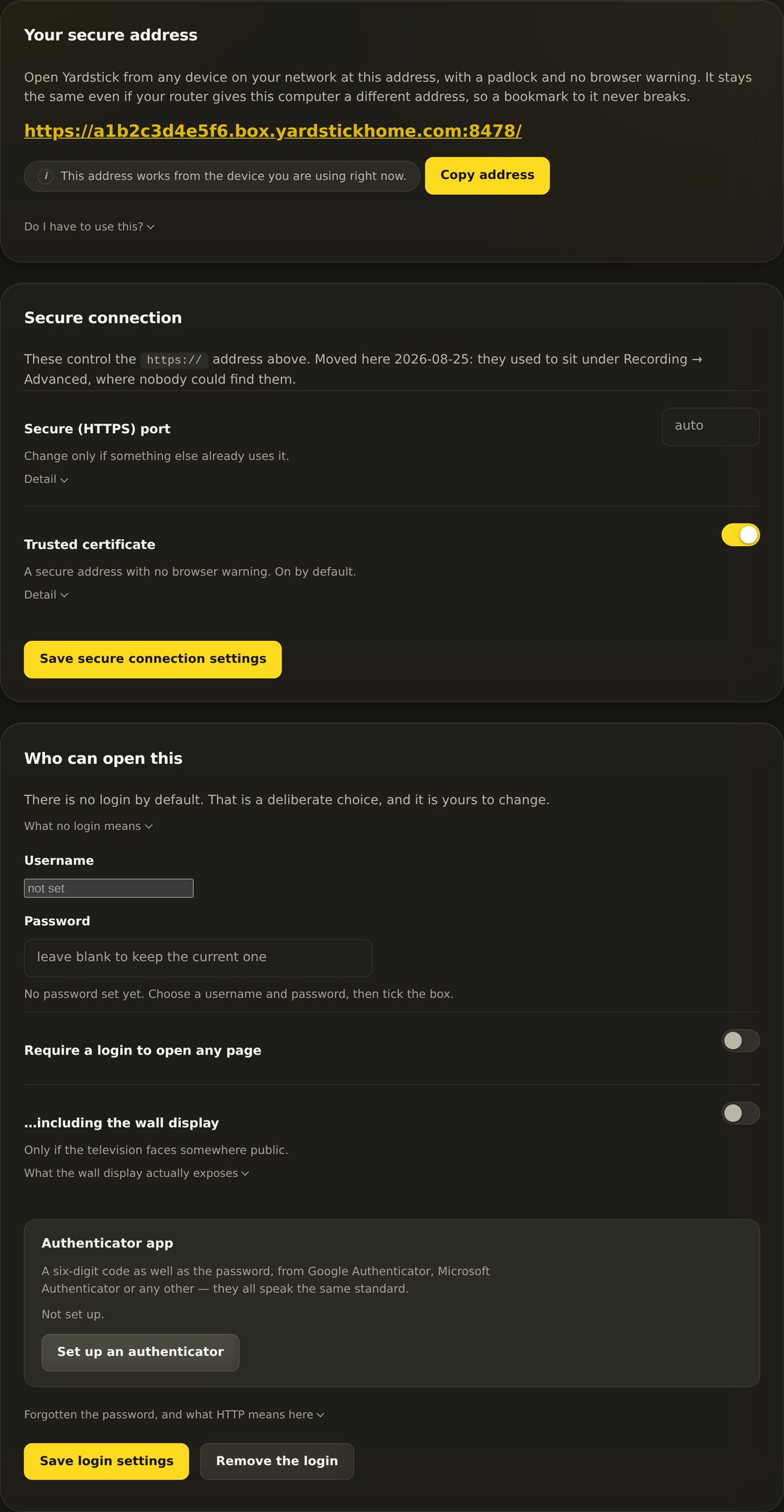
Two fields and one toggle. Once it is on, every page asks for the login before it opens.
Open the panel
Go to Settings → Access and login.
Set a username and password
Type a Username and a Password. This is the login Yardstick will ask for.
Require the login
Turn on Require a login to open any page. Now every page asks for your username and password first.
Decide about the wall display
There is a second toggle, ...including the wall display. Leave it off unless the television faces somewhere public. See the note below before you flip it.
The wall display is safe to leave open
The wall display only ever shows the machine's state: progress, battery, speed, and alerts. It never shows your map, your coordinates, these settings, or anything that can move the robot. So most people leave it open. That way a TV does not need a password typed in with a remote. Only turn on ...including the wall display if that screen faces a public space.