The short answer
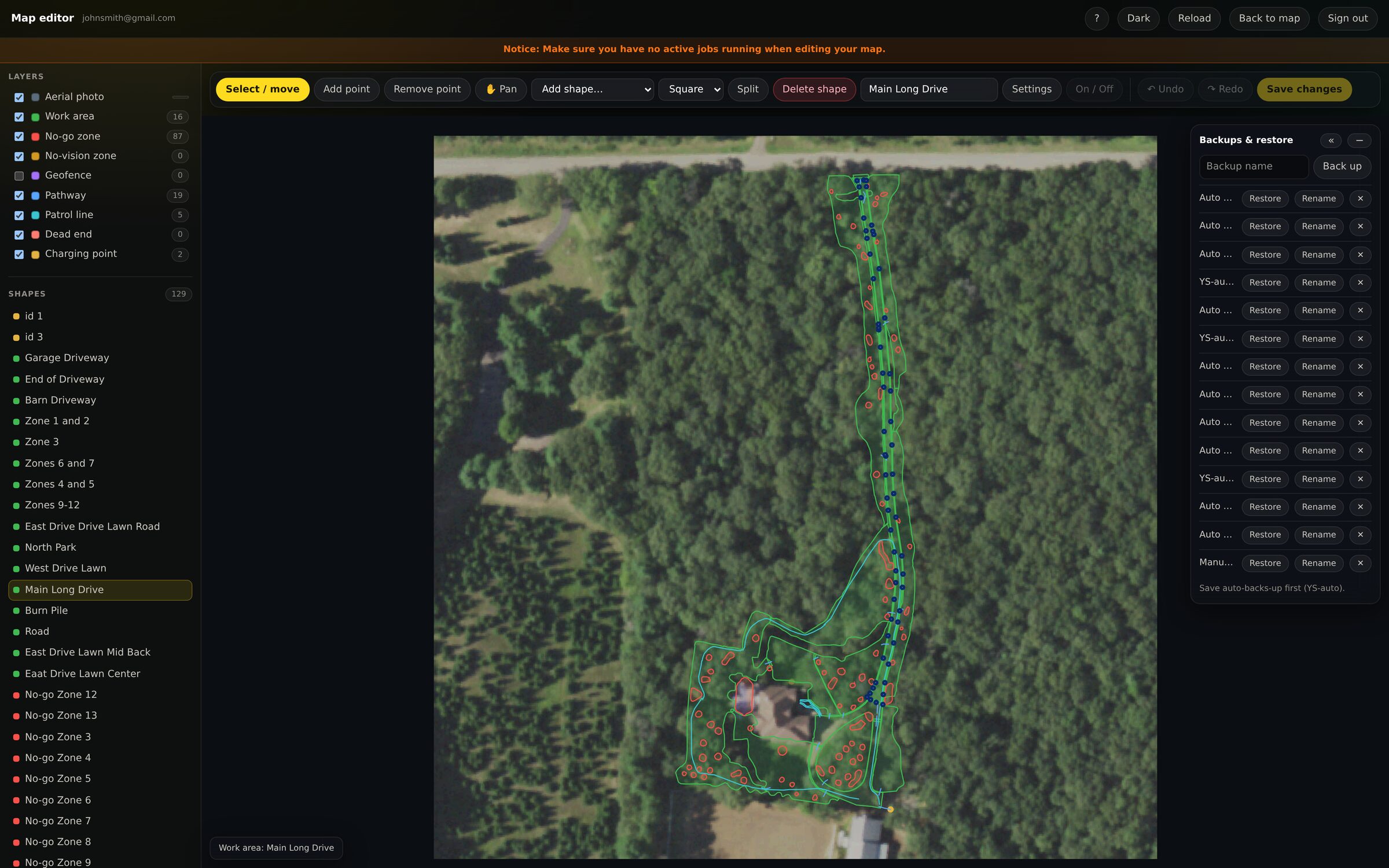
Yes. Yardstick's map editor draws every work area, no-go zone, pathway and
boundary over an aerial photograph of your property, on a computer screen,
and writes your changes back to the robot. The changes then show up in the
Yarbo app like any other edit.
Why this is worth wanting
Reshaping a boundary on a phone, outdoors, on the actual grass, is a chore. The same edit with a mouse on a large screen takes a fraction of the time and is far more precise.
It is also the only way to do some things comfortably at all: carving a garden bed out of the middle of a zone, splitting one zone into two, joining two into one, or trimming a boundary by a foot along its whole length.