Support / Yardstick Anywhere / Alexa Search help
Use Alexa with Yardstick Anywhere
Enable the Yardstick skill in the Alexa app and link your Yardstick Anywhere account. Then ask Alexa what your robot is doing, send it home, or start a plan.
Find the skill
The skill is called Yardstick. It is free to enable. You can find it two ways:
In the Alexa app
Open the Alexa app on your phone, tap More, then Skills & Games. Search for Yardstick and open it.
On Amazon's website
Open the Yardstick skill page on Amazon, signed in with the same Amazon account as your Echo.
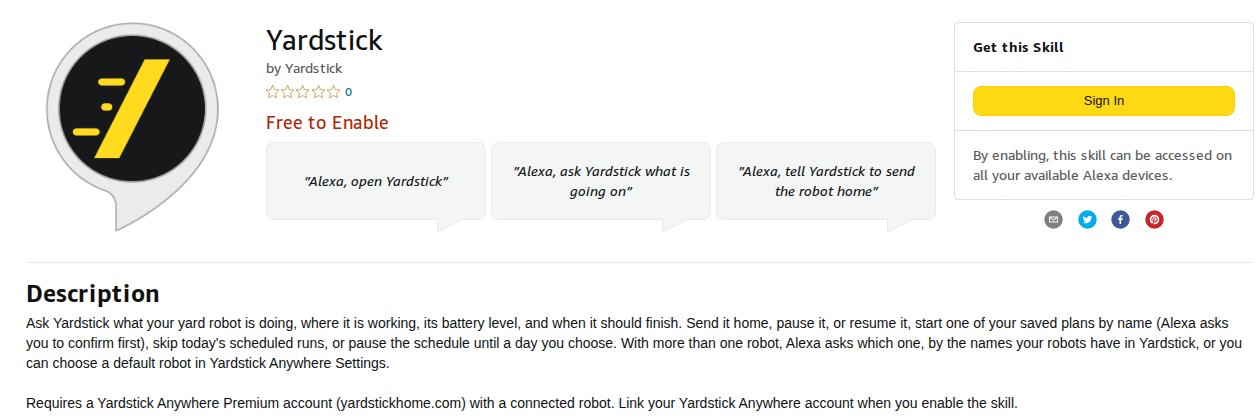
Link your account
Tap Enable to use
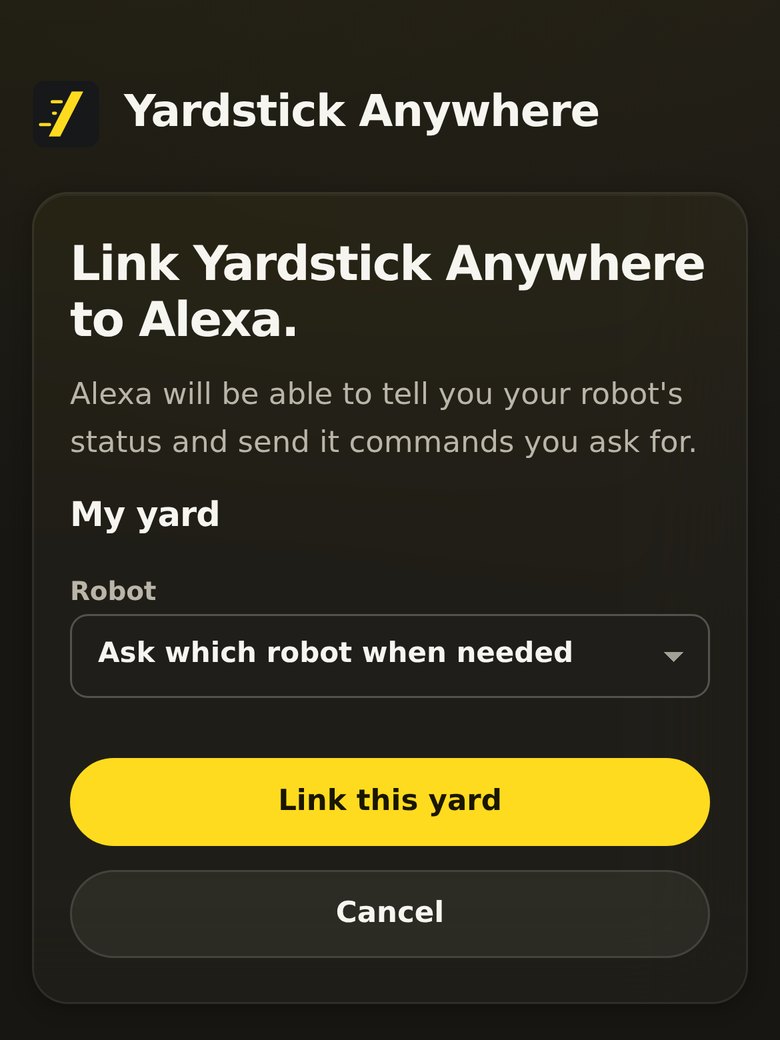
Alexa opens a Yardstick Anywhere sign-in page. Sign in with your Yardstick Anywhere email, the same way you do on the website.
Choose your yard and robot
You see Link Yardstick Anywhere to Alexa. Under Robot, pick the robot Alexa should talk about, or leave it on Ask which robot when needed if you have more than one.
Tap Link this yard
Alexa says the account is linked. That is it.
Things to say
A few to start with. See every voice command, grouped by what you want to do.
With more than one robot, Alexa asks which one, by the names your robots have in Yardstick Anywhere. To change the robot Alexa uses, or to unlink Alexa, go to Settings → Alexa on the website.
If it does not work
It says only a yard owner with Premium can link Alexa
Alexa is part of Premium, and only the yard's owner can link it. Sign in with the owner's email, or move the account to Premium in Settings → Subscription.
Alexa does not understand "Yardstick"
Say it clearly as one word, and start with "Alexa, open Yardstick". Check the skill is enabled on the same Amazon account as your Echo.