Support / Yardstick Anywhere / Updates Search help
Yardstick Anywhere updates
Everything we add and fix in Yardstick Anywhere, newest first. You also see a short note on the map the first time you sign in after an update.
A tidier map editor, and see the route before you start
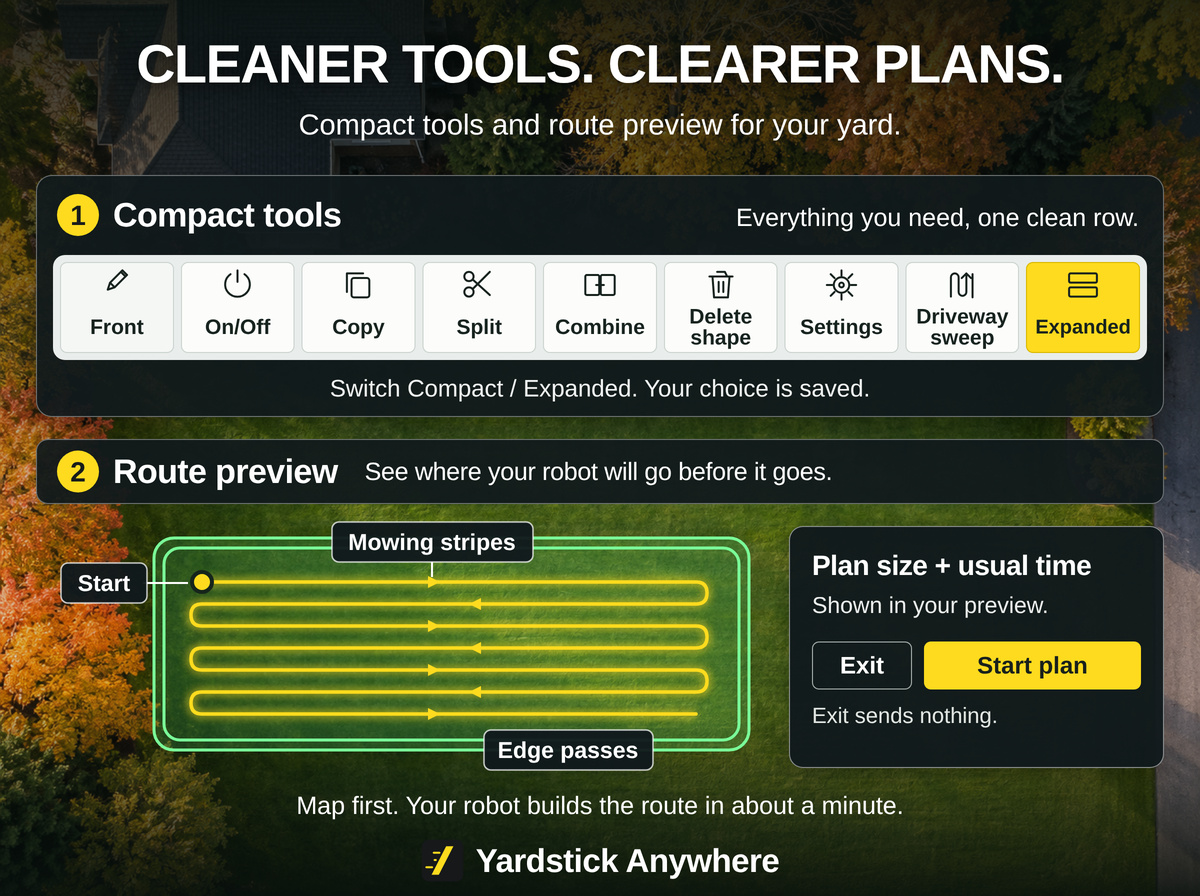
November 2, 2026. The map editor's tools now fit on one clean row, and Start shows you the route your robot will take before anything is sent. Work Preferences brings your robot's own settings into Yardstick.
New
- See a plan's route before you start it. Start, on the Plans page or in Quick run on the map, opens a preview of the plan's route on your yard map: the mowing stripes, the edge passes and where it starts. Your robot works it out itself in about a minute, and you can start without waiting. Exit closes it and sends nothing. Untick the box on the Plans page to start straight away as before.
- Work Preferences. Settings has a Work Preferences section under Your Yarbo with your robot's own settings: battery levels for undocking and recharging, safety detections, lights, rain, slope, and the snow blower's settings. A picker shows one module at a time and starts on the one that is attached. Every change is read back to prove it was kept, and you can back them up and put them back.
- No-go zones in red on the map. Every no-go zone is drawn in red, so you can see at a glance where your robot will not go. The No-go zones button under the map turns the red off and on.
- End program on the Schedule page. A program paused for quiet hours or a charge has an End program button. Your robot will not carry on with it, and the program still runs again at its next scheduled time.
Better
- A tidier map editor toolbar. Compact puts every tool on one row of same-size buttons, with Settings and Driveway sweep at the end. Expanded keeps the labeled groups. Yardstick remembers your choice.
- See how far you moved something while you move it. Dragging a point, a shape or a lasso group in the map editor shows the distance live.
- Only Dismiss puts the What's new card away. See all updates opens the full list and leaves the card on the map until you dismiss it.
Fixed
- Ending a job during quiet hours clears the Paused card. The Schedule page no longer says a job will carry on in the morning after it was ended.
- Map backups keep every shape's settings. Pathways, for each attachment, and sidewalks are kept and checked on restore, not just areas and dead ends.
- Weather rules follow your units. With metric chosen, rain amounts are in millimeters.
- Pathways and dead ends get the Moving Speed slider on the Y40 series and Yarbo Mini. The same slider work areas already had, as in the Yarbo app.
- The What's new card fits a laptop screen. It scrolls inside itself, with Dismiss always in reach.
Driveway sweep: clear your driveway with the leaf blower
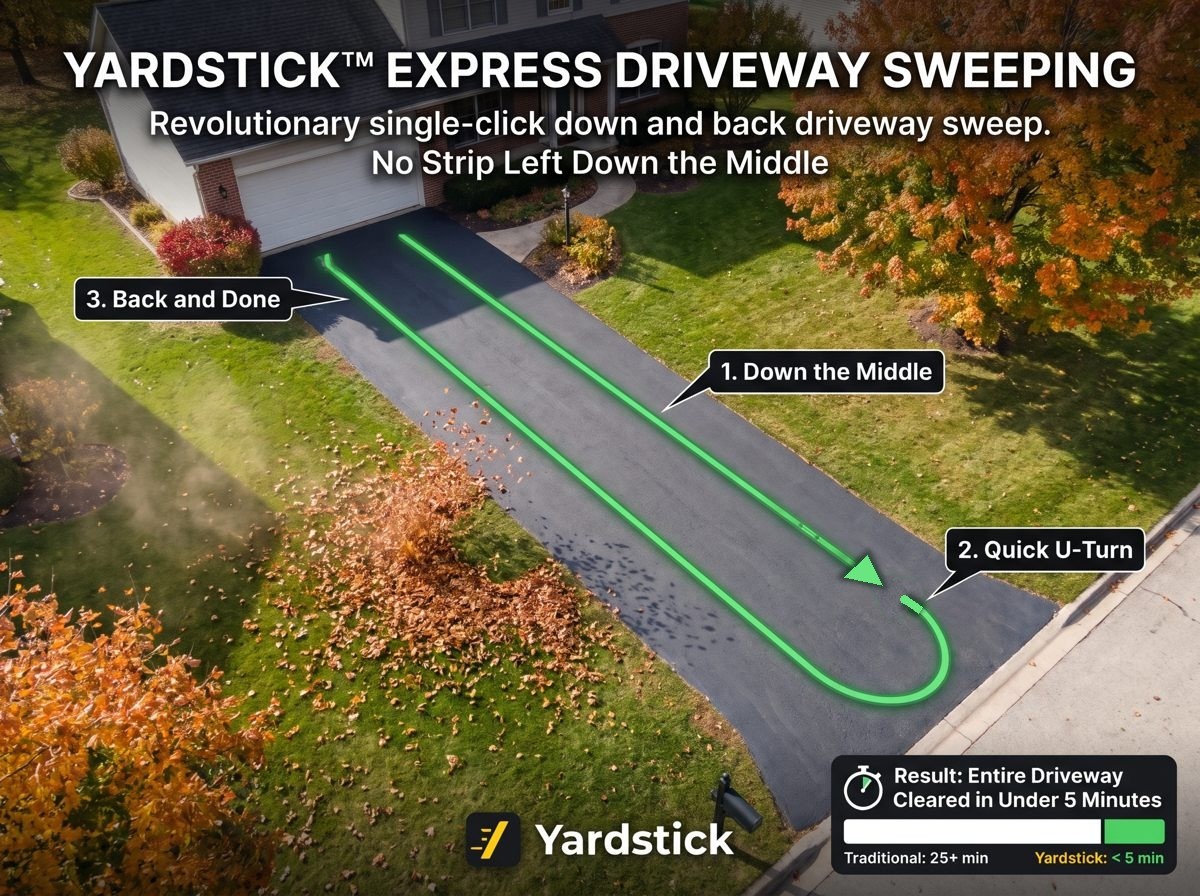
October 29, 2026. Click your driveway in the map editor and Yardstick lays out a leaf blower route for it, with the plan ready to run. The robot blows up one side and back down the other, every pass blowing toward the middle.
How it works: the step-by-step guide.
New
- Driveway sweep for the leaf blower. In the map editor, press Driveway sweep and click a driveway. Yardstick finds its center line, places four small areas at its corners, and joins them with pathways that have the leaf blower on: up the left side, across at the road end, down the right side, plus a way in and a way out. The plan, named for the driveway, runs them in order. You can set it up with any attachment on; the leaf blower only has to be on when the plan runs.
- Remove a driveway sweep from Plans. A driveway sweep's plan has Remove driveway sweep beside Delete. It shows what will go and asks first, backs up your map and plans, then takes the plan, its areas and its pathways off the map. Your driveway itself stays as it was.
- A Weather rules switch for weather notices. Settings has a switch for the notices about weather rules holding a program or closing a zone. Every notice is also kept in What Yardstick has told you.
Better
- Start a plan while the robot drives home from the last one. On the website and the phone, Start now waits only for a job that is running or paused, not for the robot to reach the dock.
- Off the map only warns around a job. A robot driven by hand or parked while its map is drawn is no longer called off the map.
- What's new speaks your language. This card and Settings > Updates follow your account's language.
Fixed
- The map editor waits while the robot is working. Map changes are refused while a job runs or the robot drives home, as the installed app does.
- Deleting a zone keeps a copy of your plans first, and the warning names any program that uses them.
- Combine keeps the backups you marked Keep. Its own safety backup no longer clears one of them to make room.
- Dock no longer sends a robot that is already charging back home. It ends the job and the robot stays on its pad.
- Delete anyway removes a plan a program uses. The second press deletes it instead of asking again.
- Carry on after quiet hours picks a plan up at its percentage. A plan held overnight continues from where it got to.
- Trouble spots in the map editor use your units. Metric accounts see meters, not feet.
Pick up a job right where it stopped
October 28, 2026. When a job ends early, you can now start it again from just before where it stopped, and any plan can start part way in.
New
- Recover a job that ended early. If a job ends early for any reason (End job, a stop in the Yarbo app, a fault that sent it home), the map offers a Recover button. It starts the same plan again two points before where it got to, so no strip is missed, and tells you the plan and percentage first.
- Start a plan part way in. Each plan on the Plans page has a Start at box. Type a percentage from 0 to 95 and Start begins there.
- Home Assistant, for Premium. Make a key in Settings and your robots appear in Home Assistant, with their status and controls.
Better
- Today's cut on the phone map fills in properly. The yellow showing where the robot has cut today no longer has gaps while it mows.
- A page nobody is using pauses after 30 minutes, and says so. Any click or touch brings it straight back, and the wall display keeps running.
Fixed
- Quiet hours could call a plan "Finished" part way through. A job held over quiet hours now carries on when they end.
- In very limited situations, zones did not line up with the aerial photo in the map editor, and All time hid them. Both are fixed.
- "Show only this" in the map editor works both ways. A second press brings back exactly what was showing before.
Faster maps for big yards
October 26, 2026. Maps, the Logbook and trouble spots open quickly however long your history is, and updates no longer slow the site down.